Ran into a weird issue on Lync 2011 on my Mac machines (as a side note, how rubbish is this client? Let’s hope the upcoming Skype for Business for MacOS is everything we expected and more… ). It was putting up a prompt saying:
Microsoft Lync wants to the “OC_KeyContainer_useraddress” keychain
…and asking for a password. Usual user password doesn’t work. Anyway, after some digging it’s pretty easy to fix if you see it.
Exit Lync 2011.
Use Finder to go to the user’s library – you can use ‘Go to folder’ and enter ~/Library
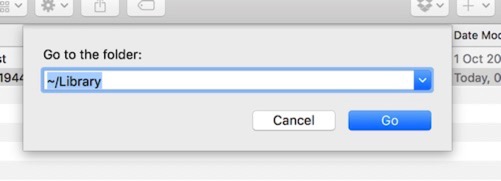
In the Library folder, go into the Keychains directory. You’ll see a few files called:
OC_KeyContainer_useraddress
For example: OC_KeyContainer_AndyPandy@Contoso.com
Simply delete them. Once you’ve removed them start Lync 2011 again and it should continue as normal